Fitting Gaussians
[1]:
# standard imports
import matplotlib.pyplot as plt
import bettermoments as bm
import numpy as np
[2]:
# load up the data
path = '../../../gofish/docs/user/TWHya_CS_32.fits'
data, velax, bunits = bm.load_cube(path)
[3]:
# apply spectral smoothing
smoothed_data = bm.smooth_data(data=data,
                               smooth=0,
                               polyorder=0)
[4]:
# estimate the RMS of the cube
rms = bm.estimate_RMS(data=data)
[5]:
# load up a user-defined mask
user_mask = bm.get_user_mask(data=data,
                             user_mask_path=None)
[35]:
# define a threshold-based mask
threshold_mask = bm.get_threshold_mask(data=data,
                                       clip=15.0,
                                       smooth_threshold_mask=0)
[36]:
# define a channel-based mask.
channel_mask = bm.get_channel_mask(data=data,
                                   firstchannel=0,
                                   lastchannel=-1)
[37]:
# combine the three masks
mask = bm.get_combined_mask(user_mask=user_mask,
                            threshold_mask=threshold_mask,
                            channel_mask=channel_mask,
                            combine='and')
[38]:
fig, ax = plt.subplots()
im = ax.imshow(np.sum(mask, axis=0), origin='lower')
plt.colorbar(im)
[38]:
<matplotlib.colorbar.Colorbar at 0x7ff4ed182d50>
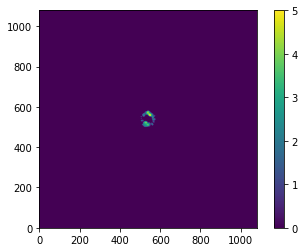
[39]:
# mask the smoothed data
masked_data = smoothed_data * mask
[50]:
# identify the pixels to fit with the MCMC
indices = bm.get_finite_pixels(masked_data, 4)
[54]:
# collapse the data

fits = bm.collapse_analytical(velax, data, rms, 'gaussian',
                              indices=indices, chunks=8,
                              mcmc='emcee',
                              nwalkers=32)
100%|██████████| 10/10 [00:43<00:00,  4.35s/it]
100%|██████████| 11/11 [00:47<00:00,  4.28s/it]
100%|██████████| 10/10 [00:45<00:00,  4.57s/it]
100%|██████████| 11/11 [00:48<00:00,  4.39s/it]
100%|██████████| 10/10 [00:44<00:00,  4.49s/it]
100%|██████████| 11/11 [00:47<00:00,  4.32s/it]
100%|██████████| 10/10 [00:42<00:00,  4.25s/it]
100%|██████████| 11/11 [00:45<00:00,  4.15s/it]
[ ]: